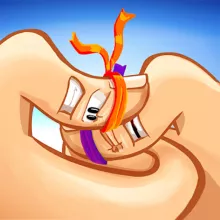
Thumb Fighter is a fast-paced casual action game where cartoon thumbs compete in short one-on-one battles. Choose a thumb appearance, pick an opponent, and use precise timing to gain control of the fight. You can challenge another player locally or face the CPU in a solo match. Each player has a single keyboard key, but the timing of every press determines who gets the upper hand. Pick your fighter and start the thumb battle.
How to Play Thumb Fighter
- Choose P1 vs P2 to play against another person locally or P1 vs CPU to face the computer.
- Select the appearance of your thumb fighter.
- Wait for the countdown to end and the match to begin.
- Player 1 uses the A key, while Player 2 uses the L key.
- Press your assigned key to move your thumb during the battle.
- Time your presses to keep your thumb above your opponent's.
- Hold the winning position for the required amount of time to take the round.
Features of Thumb Fighter
- Local 2 Player: Challenge a friend in a head-to-head match on the same computer.
- CPU battles: Play against the computer when you want a solo match.
- One-key controls: Each player uses a single keyboard key during combat.
- Thumb customization: Choose the appearance of your cartoon thumb before a match.
- Reaction-based battles: Time your key presses to gain and maintain the top position.
- Cartoon visuals: Battle with stylized thumb characters in a simple presentation.
Controls
- Player 1: A
- Player 2: L
Frequently Asked Questions
What is Thumb Fighter?
Thumb Fighter is a casual one-on-one action game where cartoon thumbs battle for control of the top position. Matches focus on timing, reactions, and single-key controls.
How do you play Thumb Fighter?
Choose a thumb appearance and select either P1 vs P2 or P1 vs CPU. During the match, press your assigned key to move your thumb and try to keep it above your opponent's for the required time.
Is Thumb Fighter free to play?
Thumb Fighter is a free online game that can be played without purchasing the game.
What are the controls for Thumb Fighter?
Player 1 uses the A key and Player 2 uses the L key. These are the main controls used during the thumb battle.
Can I play Thumb Fighter against a friend?
The P1 vs P2 mode lets two players compete locally on the same computer.
Can I play Thumb Fighter against the computer?
The P1 vs CPU mode lets you battle the computer in a solo match.
Does Thumb Fighter require a download?
Thumb Fighter is designed for desktop browser, so no separate game client is required.
Online game Thumb Fighter belongs to such genres as multiplayer, arcade in touchscreen, desktop, mobile, tablet, browser. Thumb Fighter has been played 6487 times.
#Funny_Games