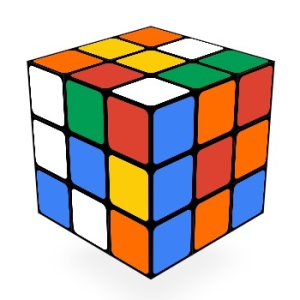
Rubik’s Cube 3D recreates the classic puzzle as an interactive browser game. Rotate the cube and turn its layers to rearrange the colored squares, working toward a single color on each face. Mouse and touchscreen dragging let you manipulate the cube directly, while keyboard shortcuts provide another way to make moves. A tutorial covers the controls, and once you solve the puzzle, the game records your time and move count. Scramble the cube and try to solve it.
How to play Rubik's Cube 3D
- Drag the cube to rotate its rows and columns, or use the keyboard shortcuts.
- Arrange the smaller colored squares until each face has one uniform color.
- Follow the tutorial to learn the controls.
- After solving the cube, check your completion time and move count.
Features of Rubik's Cube 3D
- 3D version of the classic Rubik’s Cube puzzle.
- Mouse, touchscreen, and keyboard controls.
- Tutorial covering the game’s mechanics.
- Completion results showing the date, move count, and elapsed time.
- Minimalist presentation with sound effects.
Controls
PC:
- Mouse: Drag to rotate the cube or its rows and columns.
- Keyboard: Use the available shortcuts to make moves.
Mobile:
- Touchscreen: Drag to rotate the cube or its rows and columns.
Is Rubik’s Cube 3D free to play?
You can play Rubik's Cube 3D for free on MEEGames.
Can I play Rubik’s Cube 3D on mobile and desktop?
Rubik's Cube 3D can be played on your computer and mobile devices like phones and tablets.
Does Rubik’s Cube 3D require a download?
Play Rubiks Cube 3D online on multiple browsers such as Microsoft Edge, Chrome, and Whale without needing to download the game.
Online game Rubik's Cube 3D belongs to such genres as puzzle, educational, boys, girls, 3d game in touchscreen, desktop, mobile, tablet, browser. Rubik's Cube 3D has been played 19147 times.